General
The Contact Portal is a part of the portals provided by CRM-service Oy. It includes modern functionalities, real-time connection to CRM, and reporting features. Like the CRM, the Contact Portal is a fully cloud-based service.
Admin users have full control of the Contact Portal. If the user is the admin in CRM, then they are also the admin in CP, these go hand in hand. Please note that when these are updated, there is a 12-hour waiting period.
In the Contact Portal it is possible to manage all the functionalities of the contacting process, for example:
- An agent can complete the contact’s information, which will then be updated in the CRM right after saving.
- It is possible to send the contacts email templates that are branded for the company. Therefore in example provide the potential customers with additional information.
- The managers can create survey templates, that are completed by the agent during the call. This way the information is always saved on the contact entity and it can be later accessed by others as well.
- The Follow-up notes after the discussions are saved and shown automatically on the checklist of the agent.
- The portal provides the managers and the business management with a comprehensive reporting view of the campaigns.
Other functions supported by the Contact Portal are e.g. the following:
- Click-to-Call
- Recording the calls
- Local phone numbers used through the CRM-service (Finland, Sweden, Estonia, Germany, Poland, France)
Downloading the Contact Center Applications
Agents can log into Contact Portal to see all the contacts they can call. When agents use call function in the Contact Portal, the call opens in Contact Center application.
Contact Center has both desktop and mobile applications. The desktop version for PC can be downloaded by clicking this download link. The MAC version can be downloaded from this download link. Mobile versions for Android/iOS can be found in the guide Contact Center mobile application.
Tracking the Contact History
The whole contacting process happens on the contact’s page (in the Campaigns module, by selecting first the campaign and then the contact). The contact information as well as all the functions concerning the contact are accessed on the same page.
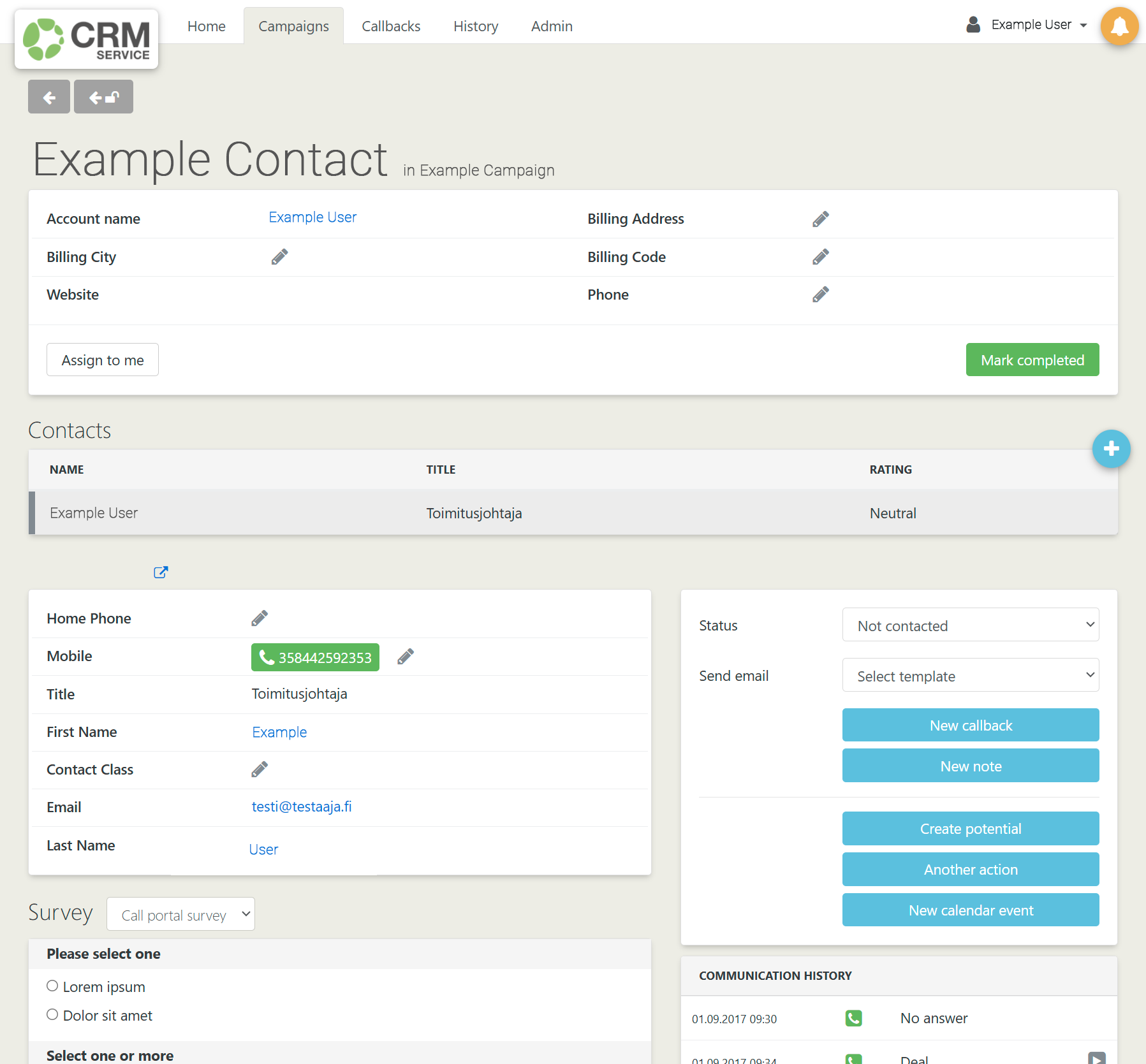
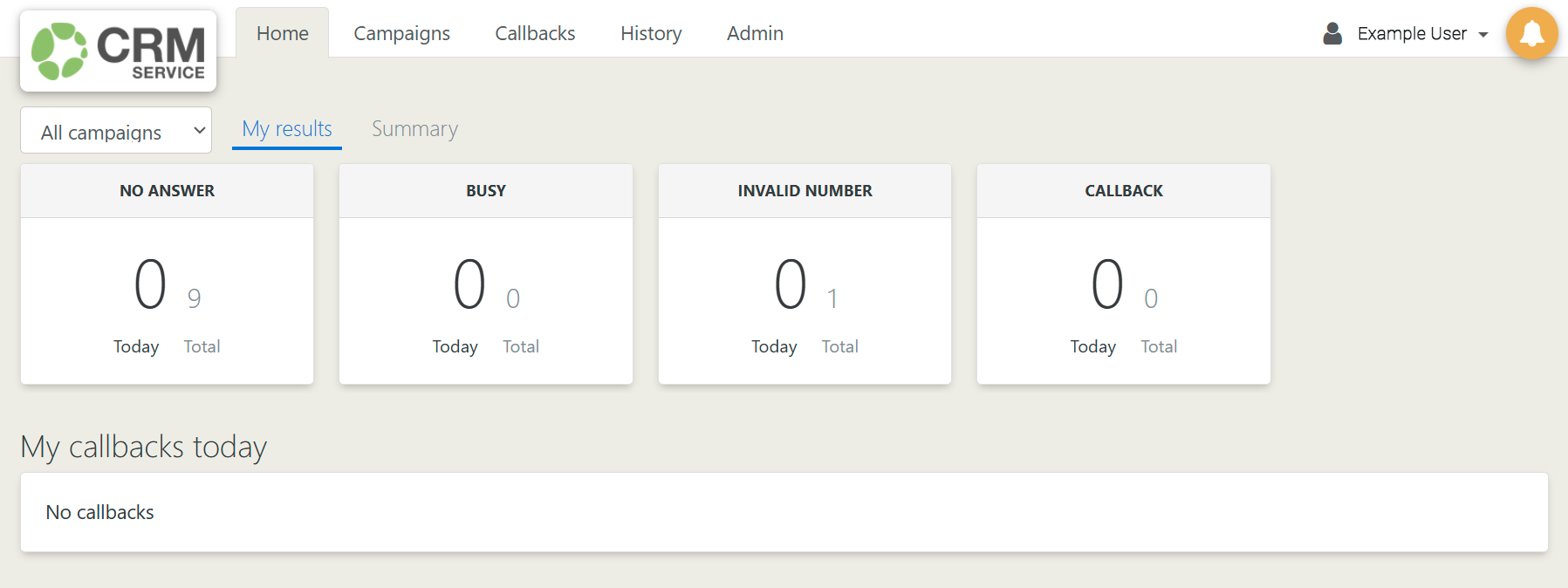
After each call, the agent categorizes the result of the call. The call and the result are then saved in the communication history of the contact, which is shown on the contact’s page. In addition to the calls, the communication history shows also the status changes of the contact, notes and callbacks created for the contact, and the emails sent to the contact. The callbacks assigned to the agent are also shown on the home page of the agent.
The Home Page of the Agent
On the Home page the agent can make a quick glance on their calls as well as the overall progress of different campaigns (see the picture below). In addition, there is a section where the agent see the callbacks assigned to them for the ongoing day.