General
The goal is to quickly see information about any relation, such as Customers, Contacts, Invoices, without having to open them. A magnifying glass with a + sign opens a window with the selected fields.
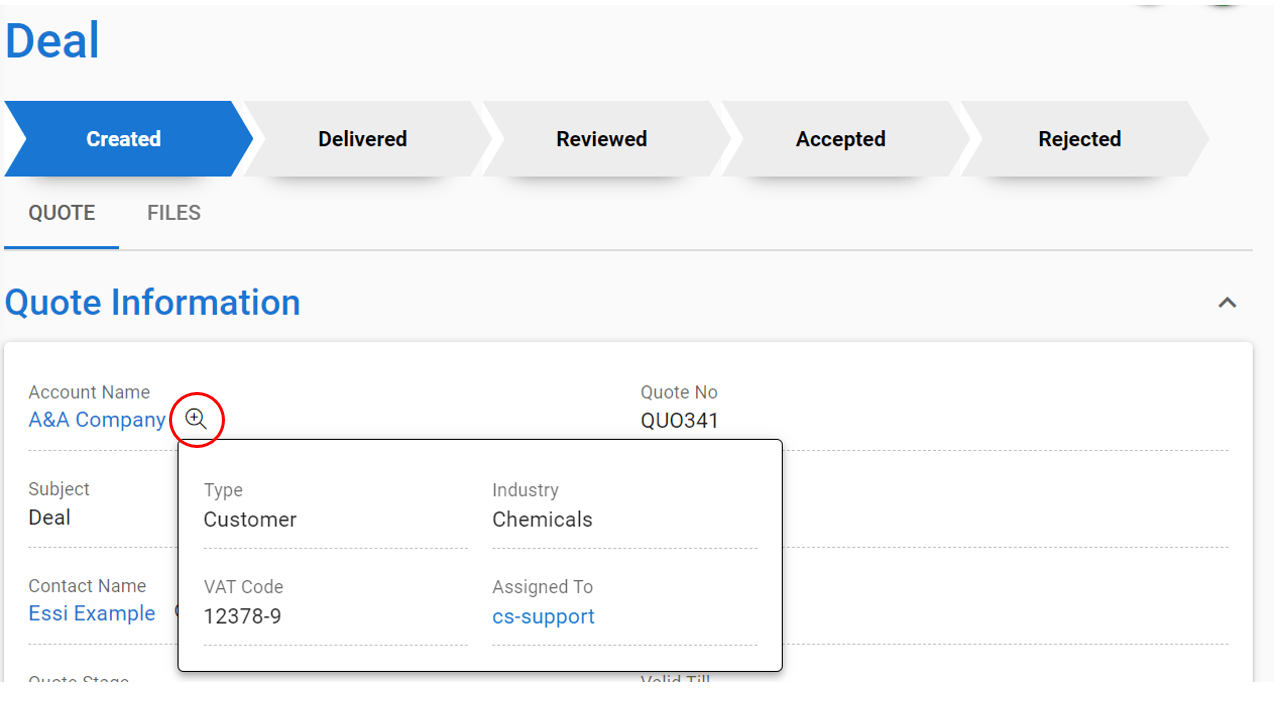
Fields that are visible in the quick view, for example, Account are set in the module Accounts and are always used in all modules. If the user has no profile rights to see the field, they will not see it in the quick view either.
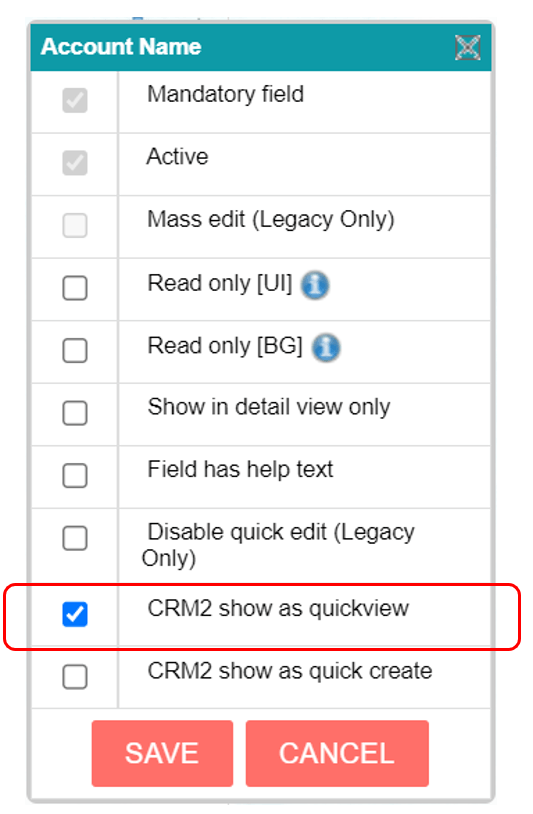
Activation of the quick view function
At least one field must be activated for the magnifying glass to appear.
- Go to the module’s layout editor
- Click on the field settings panel for the field

3. Activate CRM2 show as quick view and save.