
General
Mass mailing can be sheduled, so it will be delivered to the recipients at the specified time. For this functionality there might be a need to adjust the admin settings, and those adjustments are explained in this article.
Start
Adjusting the settings is done in Mass Mailing module settings that are located in Module Manager.
Quick Start Guide
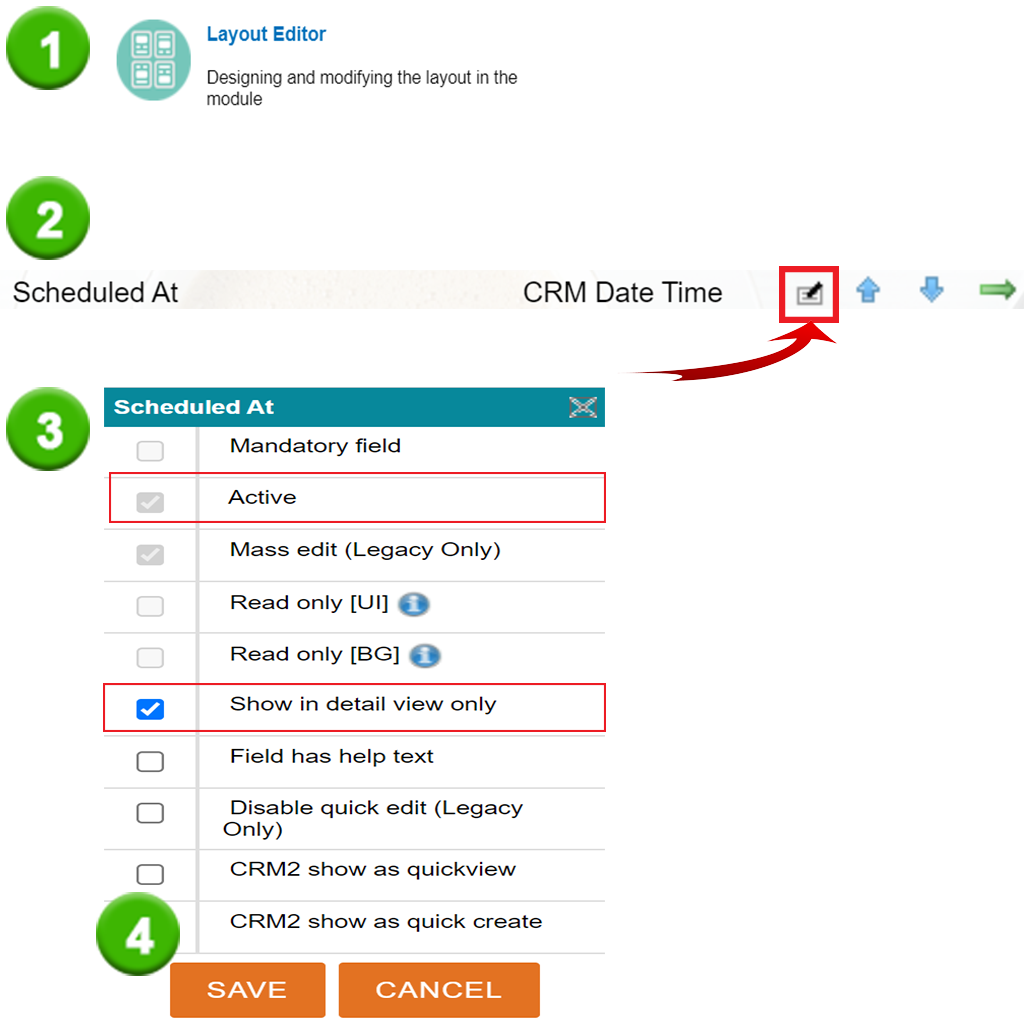
- Open Layout Editor
- Open the settings of Scheduled At field
- Make sure that these are checked: Active and Show in detail view only
- Save settings
Note
Both Read only [UI] and Read only [BG] are settings that must not be active, so they must have an empty checkbox next to them as in the image above.
Both Read only [UI] and Read only [BG] are settings that must not be active, so they must have an empty checkbox next to them as in the image above.