
New & Improved Features
CRM
- The full screen view of entity creation will now display the first page of the entity card when creating an entity.
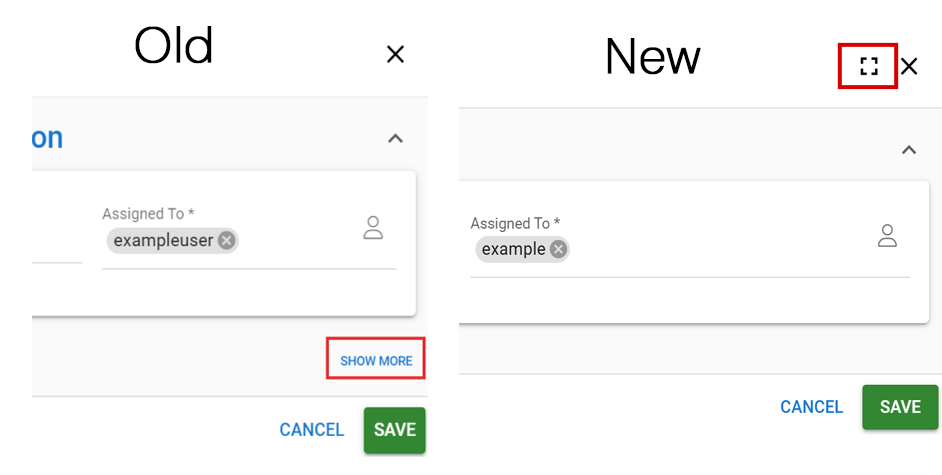
- The button for the full screen view has been moved from the bottom to the top of the view and the Show More/Show Less text buttons have been replaced with an icon (pictured below).
- By default, the system displays the last size option selected by the user in the entity creation view.
- The Quick View of the entity will also be displayed on the search results page.
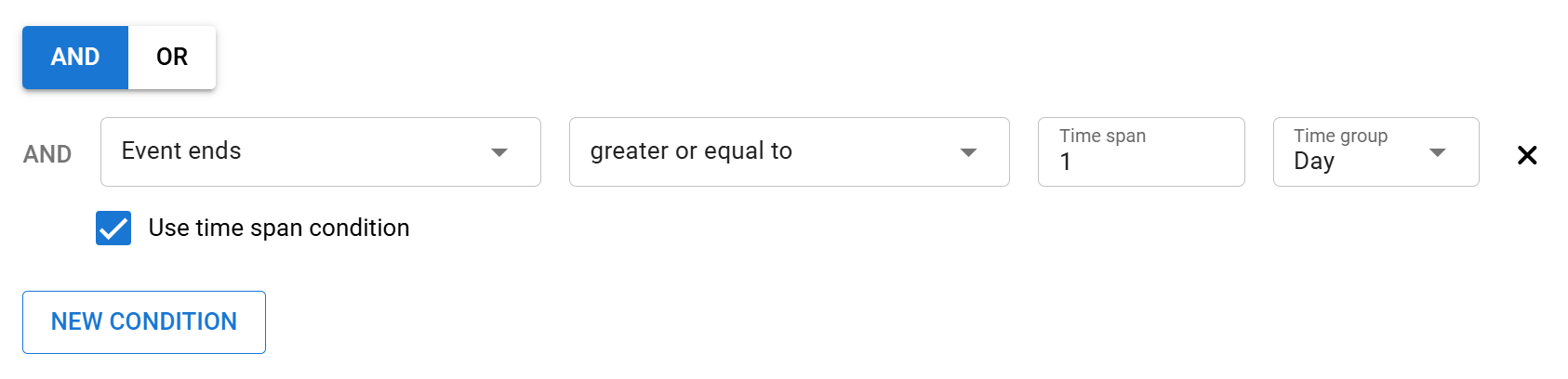
- Clarified the interface for conditions in graphs and triggers.
- Added a new field “Peppol ID” for companies (Accounts).
- Changed the appearance of the “No data with given conditions” message in the list view of filters.
- Added a checkbox “Payment status” to invoices. This allows for easy tracking of under- and overpayments, for example, when the field is included as part of the overall invoicing process.
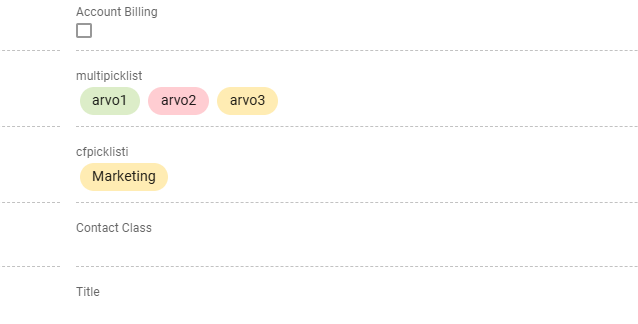
- The appearance of the values displayed in the picklists and multi-select picklists has been changed to facilitate data management.
- Password settings can be changed so that the user’s password expires regularly. After the password is expired, the user is forced to create a new password.
- Added the ability to pin the first two columns of lists in list view. This allows the columns to remain in place when scrolling through the list data, making it easier to view large amounts of data.
Surveys
- Added new “Active” field to surveys.
- Since active/passive selection was not previously possible for surveys, the update will mark all existing surveys as active.
- When attaching a survey to an email, the email editor will only list active surveys in the list of selectable surveys.
- The user’s ability to edit surveys is limited after the first response is received to prevent logical errors.
- The editing rights for the texts displayed to the respondents are maintained, but the values of questions and answers cannot be changed after receiving the answers.
- Values that can no longer be edited will be displayed on a grey background in the interface.
Self-Service Portal
- Added Stripe as a selectable payment option.
Contact Portal
- Contact Portal features related to the old user interface (Legacy) will be removed at the end of the transition period on 4.6.2025. During the transition period we will replace available functionality with the new user interface (v2) functionality.
- The functionalities corresponding to the Q&A functionality will be available in the Surveys module.
- Old active Q&As will be visible during the transition, but new ones can no longer be activated and old Q&As will disappear if they are passivated.
- All Q&As that are active in CRM can be added to the Contact Portal campaign.
- Old email templates will be deactivated. During the transition period, they will be visible in Contact Portal, but new ones can no longer be activated.
- Admin users will have a setting in Contact Portal that allows them to select an email base in CRM.
- The functionalities corresponding to the Q&A functionality will be available in the Surveys module.
Fixes
- Situation where the number of people registered to a sub-event of the event was not displayed if the capacity of the sub-event was “null”.
- Aligned the display of graphs and filters when using a multi-select list as a condition.
- Minor corrections to Outlook calendar synchronization.
Deprecated functionalities
The legacy CRM service interface (Legacy) will be permanently deprecated on June 30, 2025.